



Keep bookings and patient details together.
Connect practitioner schedules and appointments with the patient information your team needs for the visit.
Explore booking and patient features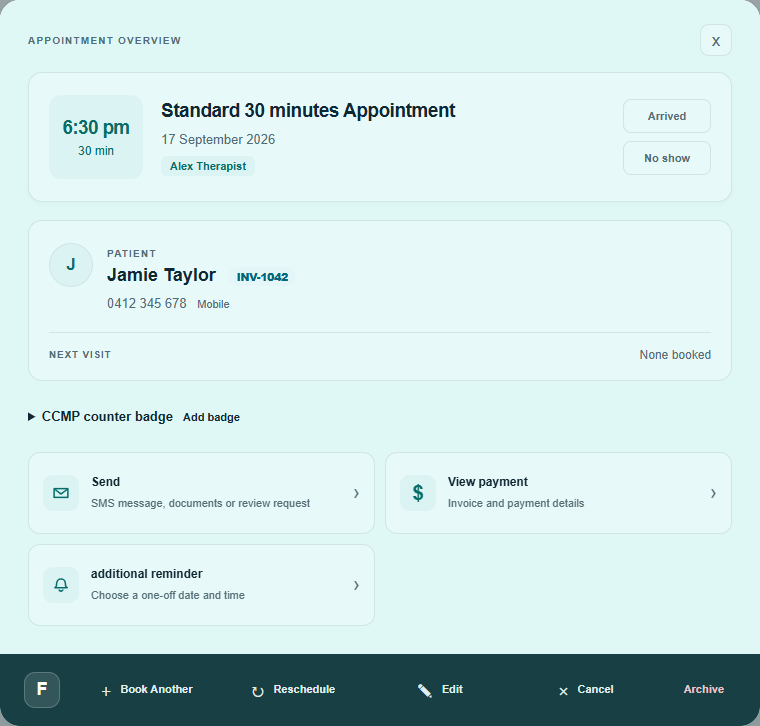
 aseschedule
For Australian allied health clinics
Manage patient records, appointments, clinical notes, documents and billing in one electronic health record system.
No credit card required.
30 days free, then A$38 + GST / month (A$41.80 total) on monthly billing. First active user included.
Trial includes 1,000 AI + 200 SMS credits once.
Built-in AI tools · usage credits cost extra after trial.
 Explore cost effectiveness
Explore your EHR workspace
Explore cost effectiveness
Explore your EHR workspace
Patient records, appointments, notes and billing in one workspace.
Explore the workspaceStatic walkthrough · Demo data
Follow these steps in the clinical-note editor shown in the workspace below. This is a screen guide.
Open the patient's Treatment notes and select the booked session.
Enter the consultation details in your note template.
Select Generate to draft answers from your input and available patient context.
Check every answer and make it accurate for this consultation.
Save the reviewed note to the selected patient's session.
AI drafts require practitioner review. AI usage consumes credits.
Inspect the draft and save controlsSee the workspace
Bookings, notes, documents and follow-ups for chiropractors, physiotherapists and allied health teams.
Connect practitioner schedules and appointments with the patient information your team needs for the visit.
Explore booking and patient featuresUse patient context and your input to prepare clinical-note, letter and report drafts inside your workflow.
You review and edit AI-generated content before using it. Clinical decisions stay with the practitioner.
Explore AI drafting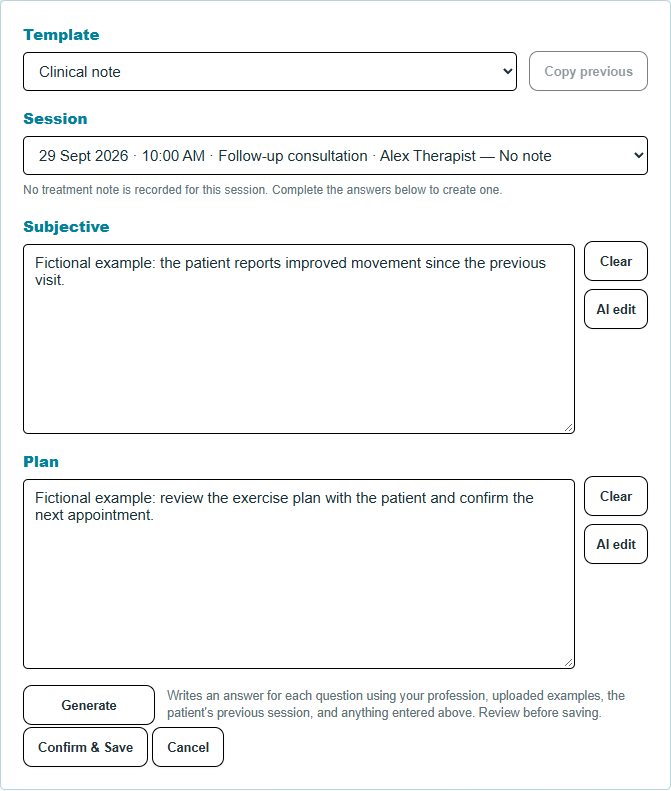
Create invoices connected to appointments and patients, record payments and keep day-to-day administration together.
HICAPS payment records do not transmit claims. Direct HICAPS, Medicare and DVA claim submission is not provided.
Explore invoicing features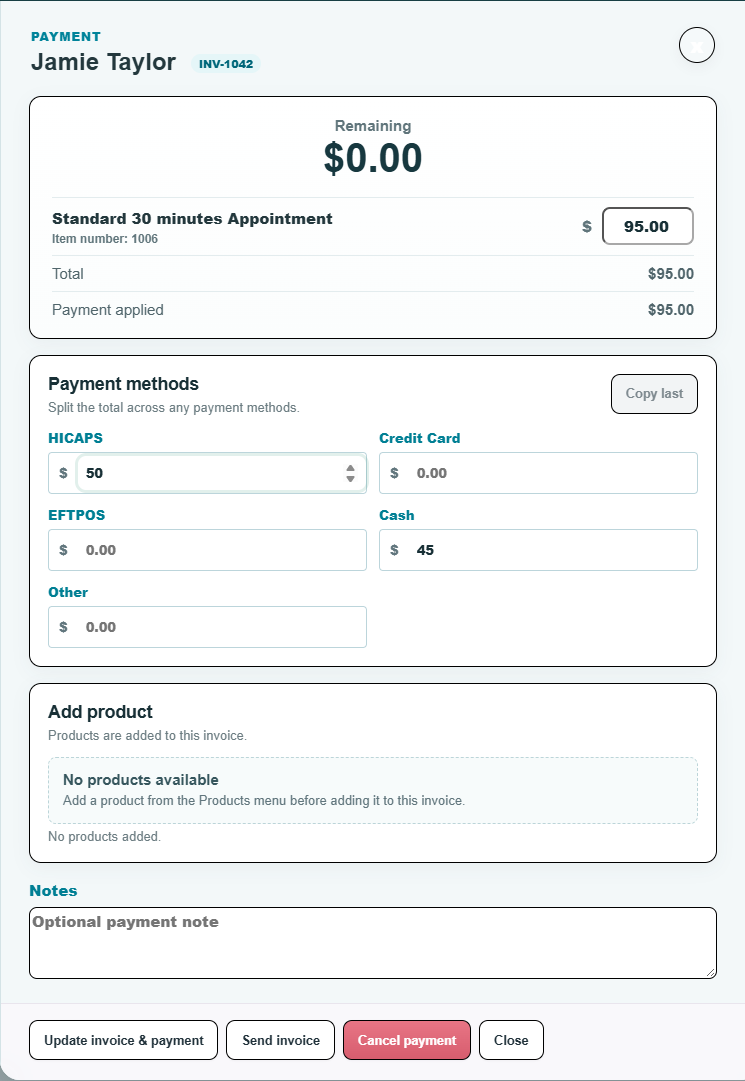
Set up reminders, manage supported two-way SMS conversations and help patients arrange their next appointment.
SMS requires messaging setup and available credits. Two-way SMS depends on a reply-capable sender. Other supported channels need account connection, enabled service access and any required provider approval.
Explore patient communication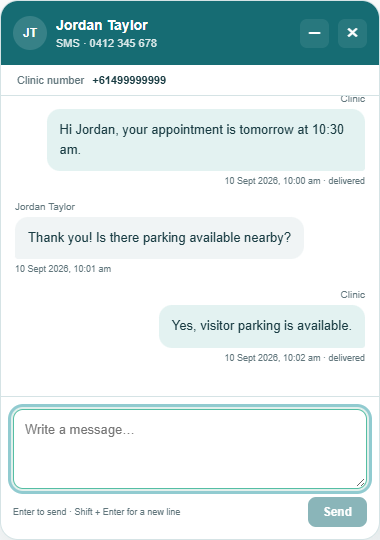
Know what is included
The first active user is included. Add your team as you need to.
Medical & Allied Health
A$38 / month + GST
A$3.80 GST · A$41.80 total per month
Start with a 30-day free trial. Monthly billing begins after the trial.
Each additional active user: A$33 + GST / month (A$36.30 total). Applies to active practitioners and staff. Pending invitations and inactive users are not billed.
Start 30-day free trialNo credit card required. No setup fee.
Help with the move
Our team can help check and complete an import from supported export files. Ask about your current system before you sign up.
What can be moved depends on your export and file formats. Keep the originals and review the imported records.
General questions: use the public help chat, then select “Talk to support team”. File upload support requires sign-in.
Before you start
No. Create your account and confirm your email to access your workspace. The 30-day trial starts when your account is created. Add a payment method through Stripe to continue after the trial.
The plan includes the first active user, core clinic workflows and AI drafting. Each additional active user costs A$33 + GST per month (A$36.30 total) on Medical & Allied Health.
The original 30-day trial includes 1,000 free AI credits and 200 free SMS credits once. These free credits expire when the trial ends and do not renew; paid subscriptions include no free AI or SMS credits. Extra active users, credit top-ups and optional services cost extra. See full pricing and usage conditions.
Our team can help check and complete supported imports. Ask about your current system in the public help chat before signing up. Supported data depends on your export. File upload support requires sign-in; see the data migration guide.
Yes. AI output is a draft. Check it for accuracy, edit it to reflect the consultation and approve it through your clinical workflow. AI does not independently diagnose patients or approve final records.
Configure messaging and have enough SMS credits before sending. Two-way SMS depends on a reply-capable sender; optional dedicated numbers are billed separately. Other supported channels require enabled service access, account connections and any relevant provider approvals; they are not all ready immediately after signup.
No. Supported patient details and payment types can be recorded, but they do not submit insurance claims or connect to a HICAPS terminal.
See Security & Reliability for account access information and Privacy, AI & Data Policies for data handling. You can also use the existing help chat to contact the support team.
Your next clinic day starts here
Explore bookings, notes, invoices and patient communication in your own workspace.
Start 30-day free trialNo credit card required.